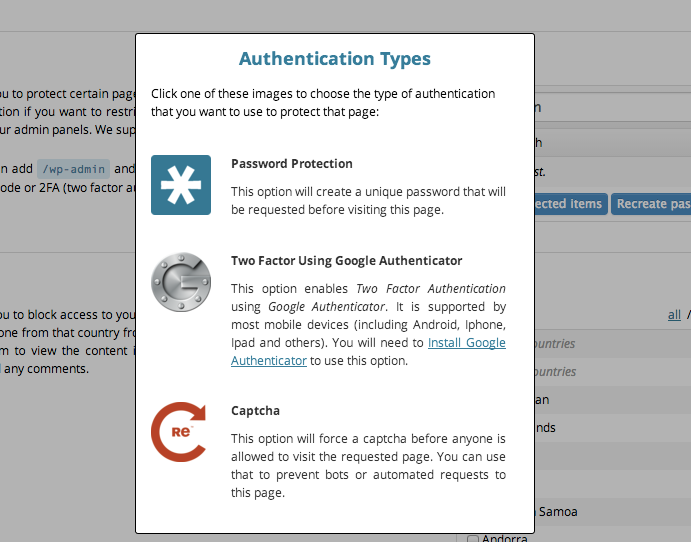
Today, we are launching the new and improved Protected Page capability in our Website Firewall, CloudProxy. It allows for a simple (1-click) activation of secondary authentication methods on any page of your site. It means you can easily add the following to any page on your website:
Have you ever needed to protect a specific page on your site with a custom password or using two-factor authentication? In the past, it required a lot of coding and messing with plugins that aren’t always easy to setup.
We’re happy to say that we’ve made it a lot easier with the Protected Page feature. In your CloudProxy dashboard, you can specify the location you want to protect (/wp-admin for WordPress or /administrator for Joomla, for example) and choose how you want to add a second layer of protection to it:
We are really excited about these options and hope you are too!
You can use it on any website, with any CMS or web application and it doesn’t require and coding or other change to your website. Here are some of the ways that clients will be able to take advantage of this upgrade:
There are many ways you can use this new functionality on your website. Interested? Log into your CloudProxy dashboard, then go to security and then to the Protected Page section to start using it right away.